
Upgrading your license or extending your subscription (Network license)
BricsCAD license upgrades no longer generate new license keys. Your current license key remains valid for future upgrades.
To upgrade the network license, you must have the BricsCAD Network License Server installed. For the installation procedure, see the Setting up a Network license server article dedicated to your operating system.
- Open the BricsCAD Network License Manager (click the shortcut on the desktop or in the operating system Start menu).
- Check the UPDATE AVAILABLE section in the BricsCAD Network License Manager dialog box.
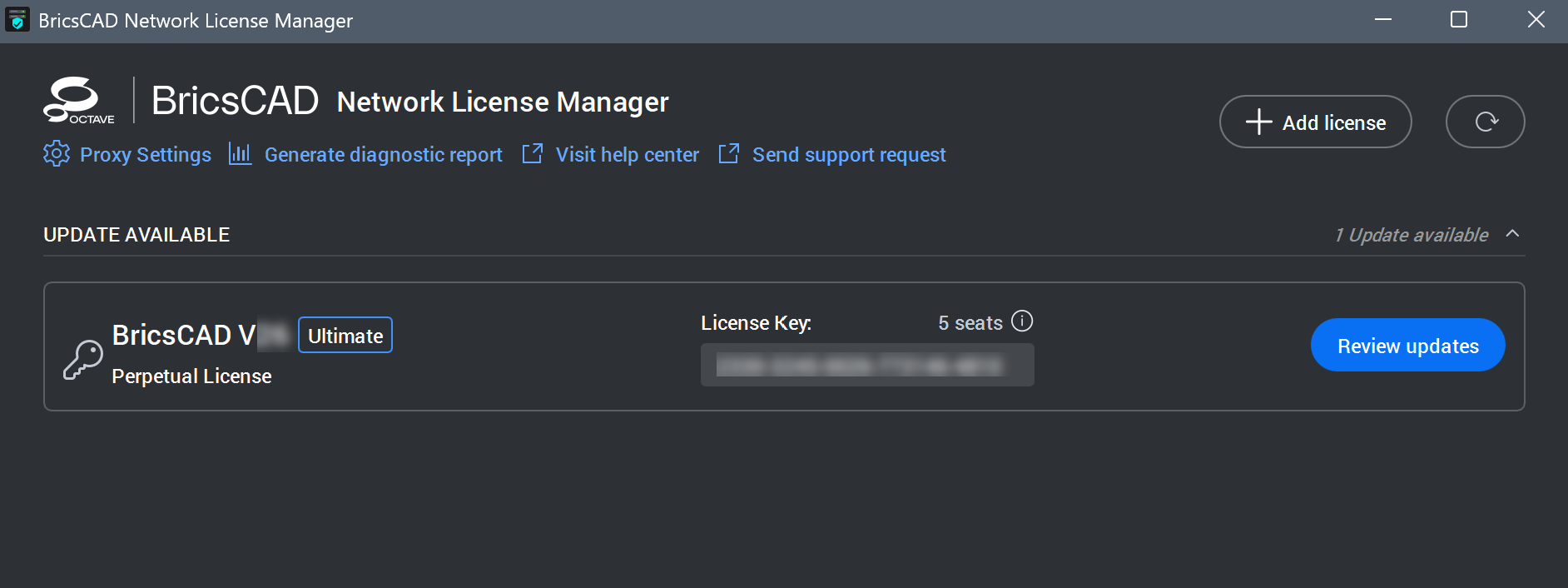
- Click the Review updates button.
The Review Updates dialog box displays a preview of the license updates.
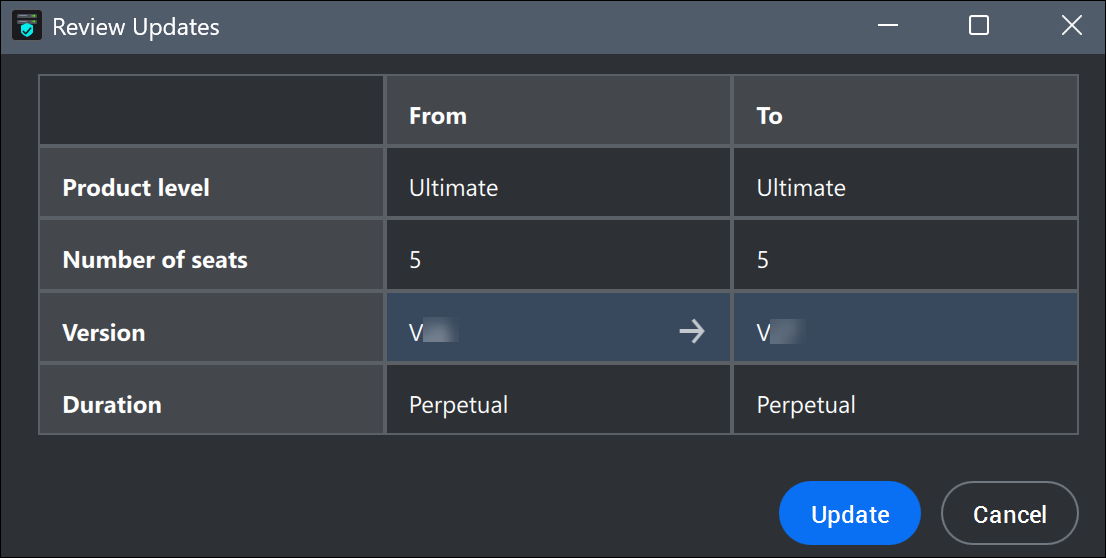
- Click the Update button to update the license on your Network license server.
Note: If the Network license server does not have an internet connection, see the Offline/manual activation (Network license) article.
Important: Make sure you permanently delete all copies (including copies of older licenses files) of the BricsCAD network license files that are currently on the servers of your company (including those of your employees, contractors, etc.) in excess of those that you are entitled to. This means that you need to ensure that even copies of old network licenses which have been upgraded to newer versions are deleted.